You are using an unsupported browser. Please update your browser to the latest version on or before July 31, 2020.
You are viewing the article in preview mode. It is not live at the moment.
Home > BOY/NTO Information for Faculty > Papercut after a Password Change (Mac)
Papercut after a Password Change (Mac)
print icon

When you save your password for the copier and you change your password, you will receive the message "Hold for Authentication". Click the refresh button and it will allow you to type in your new password and store it.
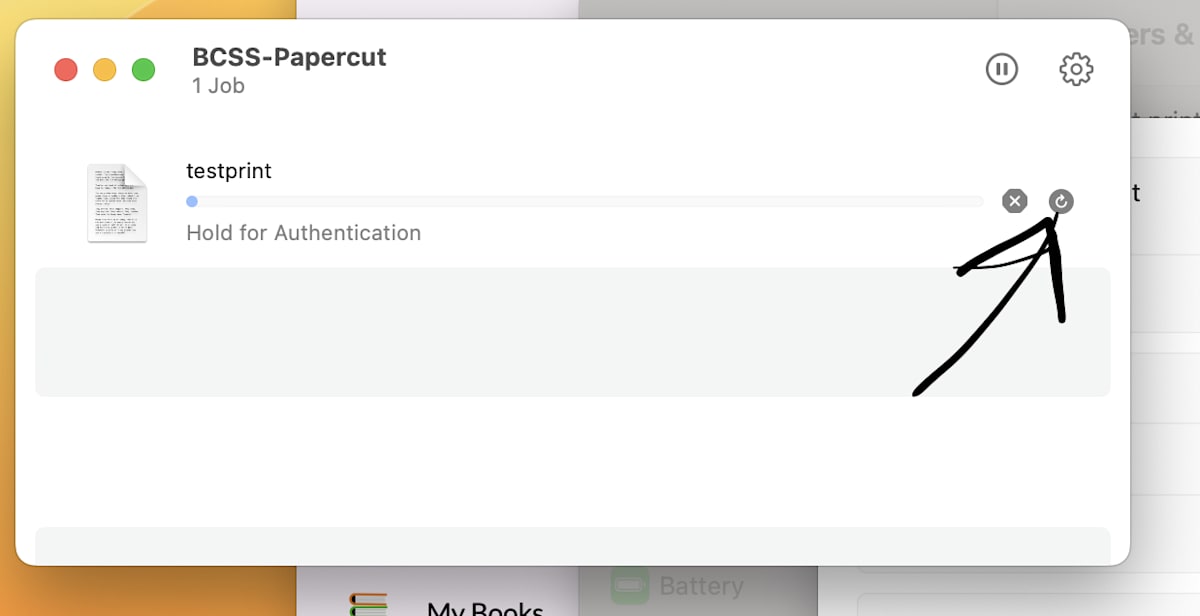
 

Papercut Queue
Feedback
0 out of 1 found this helpful

scroll to top icon